Logitech MX Ergo Trackball
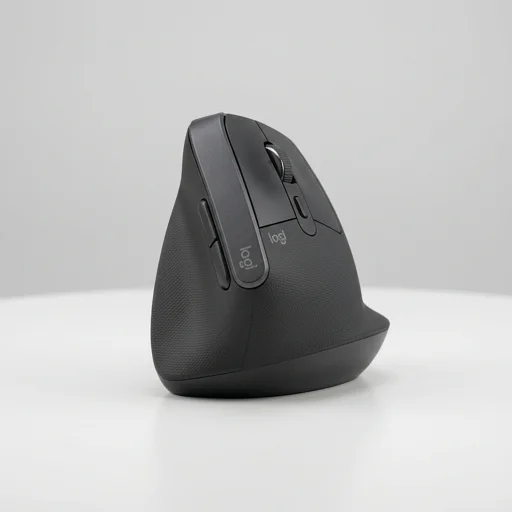
The Logitech MX Ergo Trackball is a top-tier choice for professionals seeking genuine ergonomic relief from wrist and forearm strain.
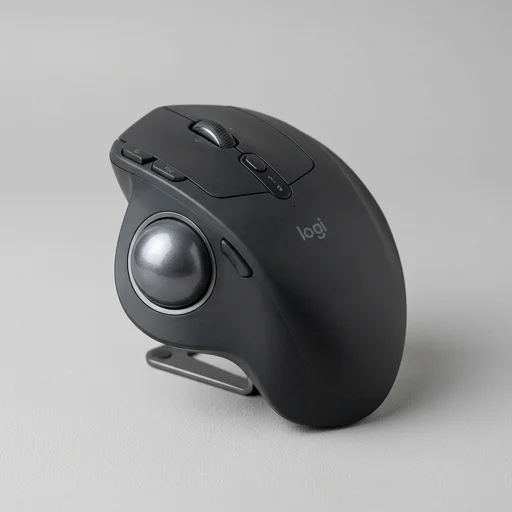
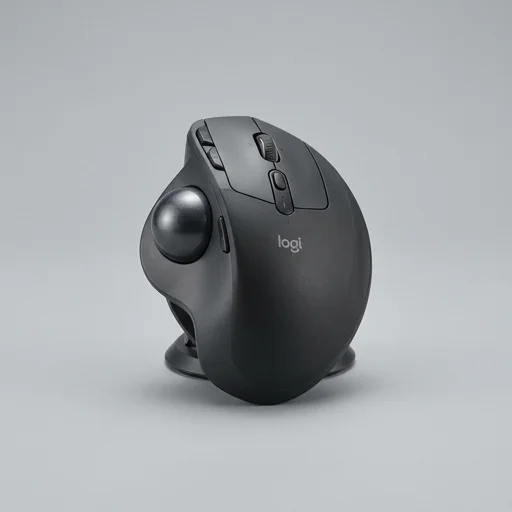
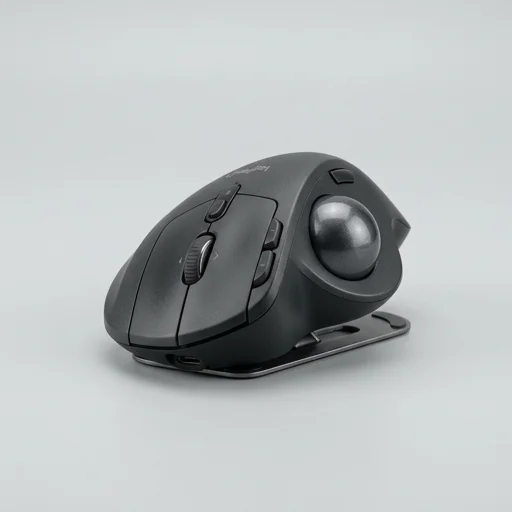
The Logitech MX Ergo Trackball is a top-tier choice for professionals seeking genuine ergonomic relief from wrist and forearm strain. Its adjustable hinge, precise thumb-driven trackball, and stationary design make it especially valuable for users with RSI concerns or those who spend long hours at a desk. While the price is steep and there's an adjustment period, the long-term comfort and control it offers justify the investment for serious ergonomic users.
Specifications
Key features
- Adjustable hinge with 0-20 degree tilt for wrist comfort
- Precision thumb trackball with adjustable speed via Precision Daptor
- Rechargeable battery with up to 4 months per charge
- Bluetooth Low Energy and Logitech Unifying USB receiver connectivity
- Multi-device pairing to switch between two computers
- Magnetic base plate for stable, non-slip positioning
👍 What we liked
- Adjustable tilt significantly reduces forearm and wrist pronation
- Stationary design eliminates repetitive arm gliding motion
- Precise cursor control ideal for detailed design or editing work
- Long battery life minimizes charging interruptions
- Works well on any surface since trackball movement is independent of desk space
- Solid build quality with premium feel
👎 Watch-outs
- Learning curve to master thumb-operated trackball movement
- Higher price point compared to standard ergonomic mice
- Thumb fatigue possible during extended heavy use
- Software (Logi Options+) occasionally requires reinstallation for full functionality
- Limited color options
Full review
The Logitech MX Ergo Trackball is a wireless pointing device engineered specifically to combat the wrist and forearm strain that comes from conventional mouse use. Rather than requiring you to slide your whole hand and arm across a desk, this trackball lets you steer the cursor with a flick of your thumb while your hand stays anchored in one relaxed position. The unit features an adjustable hinge mechanism that tilts the device up to 20 degrees, allowing you to angle your wrist into a more neutral posture that reduces the pronation stress commonly linked to repetitive strain injuries and carpal tunnel discomfort. Its sculpted, contoured shape is designed to cradle the palm and fingers naturally, so long work sessions feel less like a physical grind and more like an ergonomic accommodation to how your hand actually rests. Beyond the tilting design, the MX Ergo incorporates a precision thumb-operated trackball with Logitech's Precision Wheel technology, giving users fine control for detailed tasks like photo editing or spreadsheet navigation without needing exaggerated arm movements. The scroll wheel supports both ratchet and free-spin modes, letting you jump quickly through long documents or make pixel-precise adjustments as needed. A dedicated precision mode button temporarily slows cursor speed for tasks that demand accuracy, which is particularly useful for designers, editors, and anyone doing detailed on-screen work. Because the device stays stationary, it also suits people with limited desk space or those who work from tighter, less conventional setups where a traditional mouse's range of motion is impractical. Connectivity is handled through both Bluetooth Low Energy and Logitech's proprietary Unifying receiver, so the trackball can pair with multiple computers and switch between them at the press of a button, making it a practical choice for people managing several devices throughout their workday. The rechargeable battery is engineered for extended use, with a quick charge delivering enough power for a full day's work, and a complete charge lasting weeks under typical conditions. Its metal-plated scroll wheel and durable housing reflect a build quality intended for daily, long-term use, while the overall silhouette keeps a professional look suitable for office environments. For anyone whose job demands hours at a computer, the MX Ergo offers a deliberate shift away from repetitive gripping and sliding motions, aiming to make posture-conscious computing a sustainable part of the daily routine rather than an afterthought.
Customer reviews
After months of wrist discomfort from a regular mouse, switching to the MX Ergo was transformative. The tilt feature lets me find the perfect angle, and I no longer feel strain by end of day.
It took about two weeks to get used to controlling the cursor with my thumb instead of my whole hand, but now I can't imagine going back. Battery life is excellent too.
The precision control is fantastic for detailed editing tasks. I appreciate that I don't need much desk space since the device stays stationary.
Pricey, but the build quality and comfort are noticeably better than cheaper ergonomic mice I've tried. My forearm tension has decreased significantly since switching.
The hardware itself is excellent, though I've had to reinstall the Logi Options+ software once to fix connectivity issues. Overall still very happy with the ergonomic benefits.