Kinesis Advantage2
The Kinesis Advantage2 is a serious tool for people dealing with RSI, carpal tunnel symptoms, or chronic wrist/shoulder strain from typing.
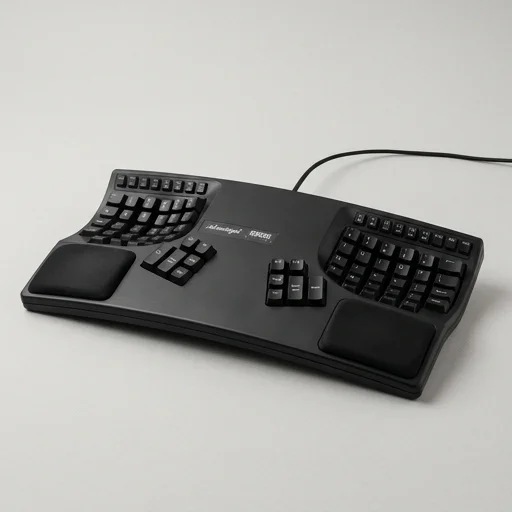
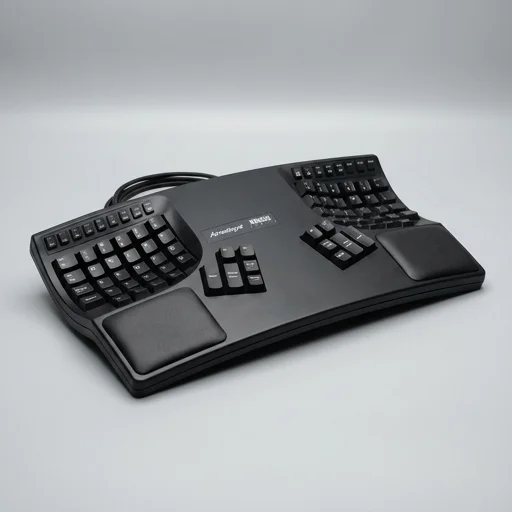
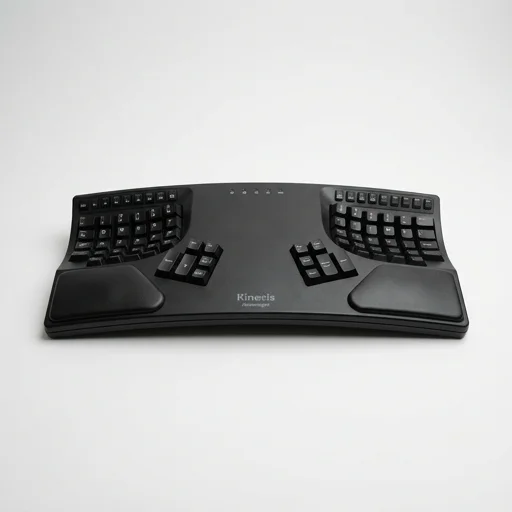
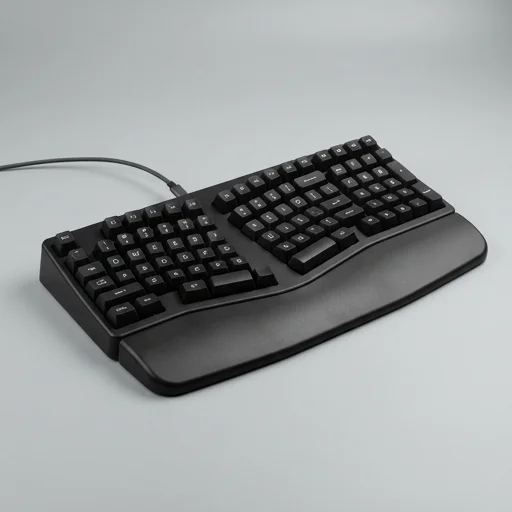
The Kinesis Advantage2 is a serious tool for people dealing with RSI, carpal tunnel symptoms, or chronic wrist/shoulder strain from typing. Its contoured, split-well design and thumb clusters genuinely change hand mechanics, but the adjustment period is real and not everyone will push through it. For those who do, it's frequently described as the last keyboard they ever needed to buy.
Specifications
Key features
- Contoured concave key wells split for shoulder-width typing
- Vertical key stagger, not horizontal, matching natural finger drop
- Thumb clusters handle Enter, Space, Backspace, and modifier keys
- Programmable keys with onboard macro recording (no software needed)
- Cherry MX mechanical switches (available in Brown, Red, Blue, Quiet)
- Dual USB pass-through ports on the back edge
- SmartSet app for remapping and layer programming
👍 What we liked
- Dramatically reduces wrist ulnar deviation vs flat keyboards
- Separated key wells prevent shoulder hunching
- Thumb clusters offload work from weaker pinky fingers
- Onboard programming works without any installed drivers
- Durable build; many users report 5+ years of daily use
- Remaps and macros persist across different computers
👎 Watch-outs
- Steep learning curve, often 2-4 weeks to regain typing speed
- Large footprint takes significant desk space
- Premium price compared to standard ergonomic boards
- No wrist rest included, must be purchased or built separately
- Key wells make it awkward for occasional gaming use
- Firmware menu navigation feels dated
Full review
The Kinesis Advantage2 is a contoured mechanical keyboard engineered from the ground up to break the wrists and forearms free of the flat, rectangular layout that conventional keyboards force on the body. Instead of a single flat plane, the keys are arranged in two concave wells that mirror the natural curve of cupped hands, with each well tented and separated by a gap wide enough to let the shoulders relax to their natural width. This separation eliminates the inward rotation and ulnar deviation of the wrists that typically accompanies long typing sessions, allowing the arms to hang in a more neutral, shoulder-width stance rather than being pulled inward toward a cramped centerline. The key wells themselves are staggered vertically by row rather than the traditional horizontal stagger inherited from old typewriters, so each finger travels in a straight up-and-down motion instead of an awkward diagonal reach, reducing the repetitive lateral strain that contributes to tendon irritation over time. Central to the Advantage2's ergonomic philosophy is its thumb cluster, a dedicated set of keys positioned beneath each thumb that offloads frequently used modifier and navigation functions—Enter, Space, Backspace, Delete, and the like—from the weaker pinky fingers to the comparatively strong and underused thumbs. This redistribution of workload is a core reason the keyboard is favored by people managing or preventing repetitive strain injury, carpal tunnel syndrome, and general wrist fatigue, since it lightens the burden placed on the smallest digits during marathon typing sessions. The keywells are also deeply sculpted, cradling each finger in its own vertical channel so that reaching for a key becomes a short, direct motion rather than a sweeping stretch across a flat plane, which further minimizes the finger extension and hyperextension patterns associated with chronic hand discomfort. Built with Cherry MX mechanical switches beneath each keycap, the Advantage2 delivers a tactile, consistent keystroke that requires less forceful bottoming-out than typical membrane keyboards, easing the cumulative impact on finger joints during heavy use. The chassis itself is a rigid, one-piece frame that keeps the two hand wells locked at a fixed, ergonomically calculated distance and angle, so users aren't left guessing at improvised positioning the way they might with adjustable split keyboards. Programmable keys, onboard macro storage, and remappable layouts let typists customize the board to their own hand size and workflow without ever breaking from its posture-first design intent, making it a long-term investment for anyone whose daily routine revolves around hours of typing and who wants that routine to stop working against their body's natural alignment.
Customer reviews
I switched after a wrist surgeon recommended a split ergonomic keyboard. Took about three weeks to get back to my old typing speed, but my forearm tension is completely gone now. The thumb cluster took the longest to learn but now feels natural.
Typing comfort is unlike anything I've used before, and the programmable keys are genuinely useful for coding shortcuts. Only complaint is how much desk real estate it eats up — my monitor arm setup had to change to fit it.
I almost gave up in week one because it felt so foreign. Stuck with it and now I can't type on a flat keyboard without my wrists complaining. The build quality also feels like it will outlast several regular keyboards.
The physical design is fantastic for my shoulder pain, but the SmartSet programming menu on the keyboard itself is clunky and non-intuitive. Had to look up the manual multiple times just to set a simple macro.