Microsoft Sculpt Ergonomic Keyboard
The Microsoft Sculpt Ergonomic Keyboard remains one of the best mainstream options for reducing wrist strain during extended computer use.
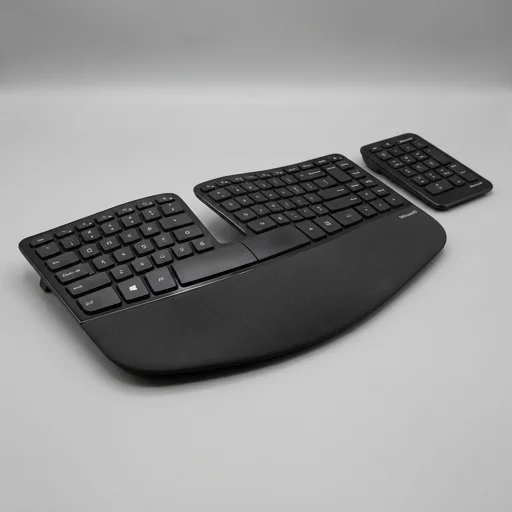
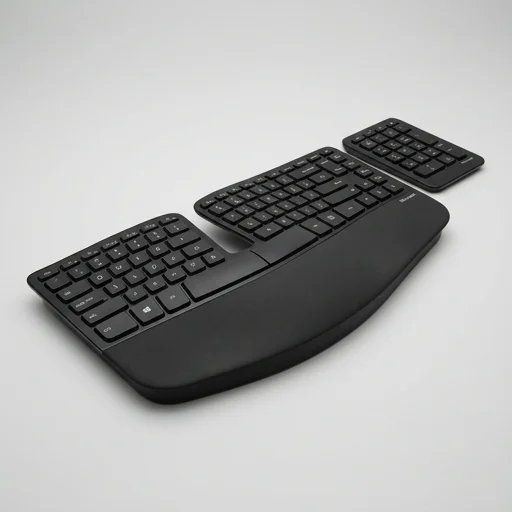
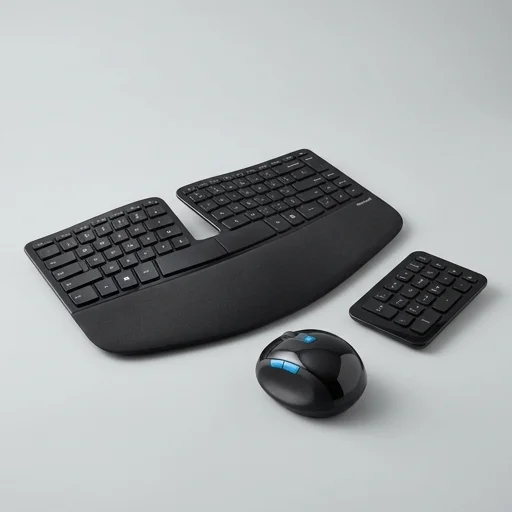
The Microsoft Sculpt Ergonomic Keyboard remains one of the best mainstream options for reducing wrist strain during extended computer use. Its split, domed design encourages a more natural hand position, and the included palm rest adds all-day comfort. While it requires an adjustment period and lacks some modern conveniences like backlighting, it's a solid investment for anyone dealing with wrist fatigue or early RSI symptoms from typing.
Specifications
Key features
- Split curved keyboard design for natural wrist angle
- Detachable cushioned palm rest
- Separate numeric keypad included
- Domed key layout to reduce finger strain
- Wireless 2.4GHz USB nano transceiver
- Dedicated shortcut keys for Windows functions
👍 What we liked
- Significantly reduces wrist and forearm strain during long typing sessions
- Comfortable cushioned palm rest improves posture
- Quiet, tactile key feedback
- Long battery life on AA batteries
- Separate numpad keeps main keyboard compact
👎 Watch-outs
- Steep learning curve for touch typists switching from flat keyboards
- Numpad is a separate wired/wireless unit, adding desk clutter
- No backlighting for low-light use
- Function keys require Fn combo for standard F1-F12 actions
- Not ideal for gaming due to key layout
Full review
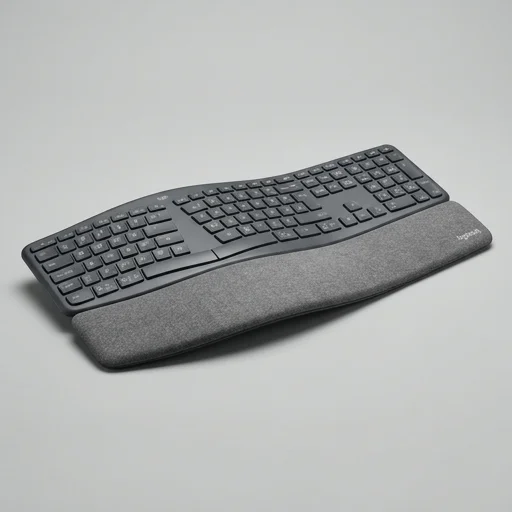
The Microsoft Sculpt Ergonomic Keyboard is a purpose-built typing tool designed to correct the postural strain that flat, traditional keyboards impose on the wrists and forearms. Its most distinctive feature is the pronounced domed shape, which gently arcs upward in the middle and slopes down toward the outer edges, encouraging a more natural hand position that reduces pronation. The keyboard is also split into two separate curved zones for the left and right hands, aligning the keys more closely with the way fingers naturally splay and reducing the inward twisting motion that causes fatigue during long typing sessions. This deliberate geometry is paired with a detachable, cushioned palm rest that further supports a neutral wrist posture, keeping the hands elevated just enough to avoid the awkward bend that leads to strain over time. Beyond its sculpted form, the keyboard separates the number pad into its own standalone unit, allowing users to position it wherever is most comfortable or remove it from the workspace entirely when not needed. This modular design not only shrinks the primary keyboard's footprint but also lets users keep their mouse closer to the body, minimizing shoulder and arm extension. The key switches themselves are tuned for a light, responsive touch, reducing the finger force required per keystroke, which matters for anyone typing for extended stretches throughout the workday. Function keys, media controls, and Windows shortcuts are built directly into the top row, cutting down on repetitive reaching gestures that can accumulate into repetitive strain issues over months of use. Constructed with a matte finish and a low-profile silhouette, the Sculpt keyboard pairs its ergonomic intent with a refined, unobtrusive aesthetic suited to modern desks and offices. It connects wirelessly via a USB receiver, eliminating cable clutter that might otherwise force awkward hand positioning to reach a wired connection point. Battery-powered and designed for portability, it suits both fixed workstations and setups where the keyboard might be adjusted or repositioned throughout the day for different tasks. Altogether, the product reflects a considered response to the ergonomics and posture niche, addressing wrist alignment, hand splay, reach reduction, and typing force in a single cohesive design rather than treating comfort as an afterthought bolted onto a conventional keyboard shape.
Customer reviews
I switched from a standard keyboard after developing wrist pain from long work hours. Within two weeks of using the Sculpt, the discomfort was almost completely gone. Takes some getting used to but worth it.
The split design really helps my posture, and the palm rest is comfortable. Only gripe is the separate numpad takes up extra desk space and sometimes disconnects.
Solid ergonomic keyboard for typing-heavy work. Not great for gaming, but that's not what I bought it for. Battery life is excellent.
Took me almost a month to get used to the key layout. Now it's fine, but be prepared for a slower typing speed initially.