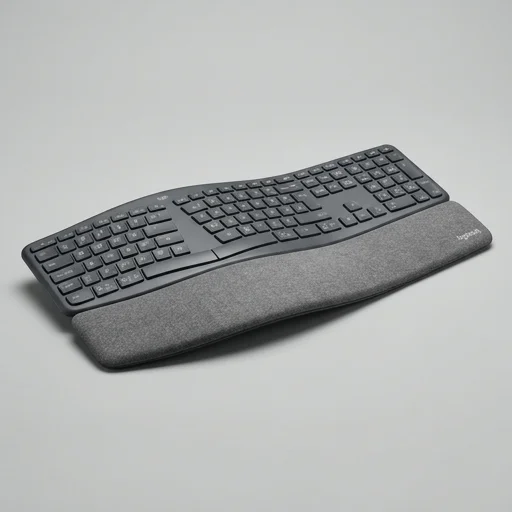
Logitech MX Keys Wireless Keyboard
The Logitech MX Keys strikes a strong balance between comfort and productivity, offering a low-profile, cushioned typing experience that reduces daily strain compared to traditional keyboards.
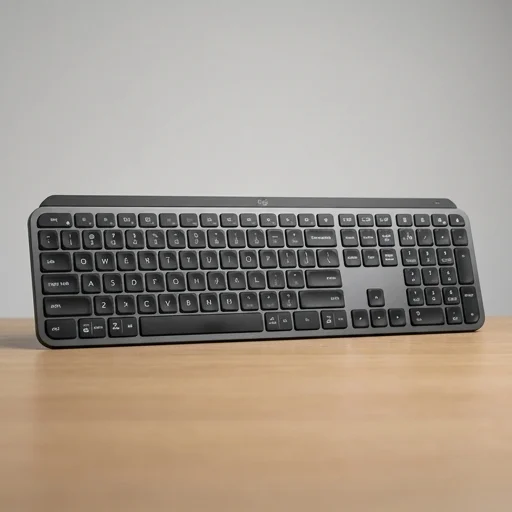
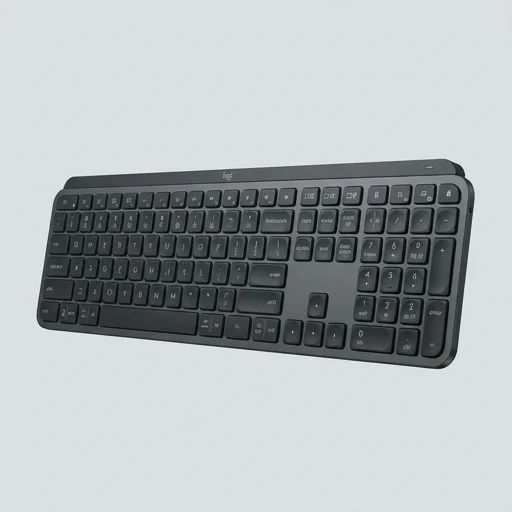
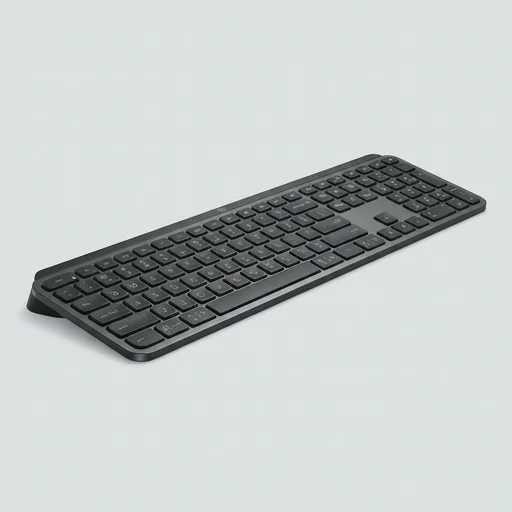
The Logitech MX Keys strikes a strong balance between comfort and productivity, offering a low-profile, cushioned typing experience that reduces daily strain compared to traditional keyboards. While it lacks a built-in wrist rest, pairing it with an ergonomic palm support or negative tilt stand maximizes its posture benefits. For professionals seeking a refined, ergonomic-friendly typing tool without a fully split or curved design, MX Keys remains a top-tier choice.
Specifications
Key features
- Low-profile scissor switches with spherically dished keycaps
- Smart backlighting that adjusts to ambient light and hand proximity
- Multi-device pairing via Bluetooth or Logi Bolt USB receiver
- USB-C rechargeable battery with up to 10 days backlit use
- Compatible with Windows, macOS, Linux, iOS, and Android
- Perfect Stroke key design for stable, comfortable typing
👍 What we liked
- Comfortable, quiet typing reduces finger fatigue
- Slim profile promotes neutral wrist angle
- Smart illumination helps in low-light conditions
- Reliable multi-device switching for desk setups
- Long battery life minimizes charging interruptions
- Solid build quality with premium materials
👎 Watch-outs
- No dedicated wrist rest included
- Flat design may still strain wrists without a riser
- Function key layout takes adjustment time
- Pricier than standard membrane keyboards
- No numeric keypad on TKL variants
Full review
The Logitech MX Keys occupies an interesting niche within ergonomics-focused keyboards, offering a more subtle approach to comfort than split or heavily contoured designs. Rather than radically reshaping how hands and wrists interact with the device, it focuses on refining the typing experience itself through its spherically dished keycaps, which are individually sculpted to match the natural curve of fingertips as they strike each key. This matte-finish, laser-cut keycap design reduces finger slippage and encourages more accurate, lower-effort keystrokes, which over long typing sessions can meaningfully reduce the small compensatory movements that contribute to hand and forearm fatigue. The low-profile key travel, combined with a stable, tactile bottoming-out feel, allows users to type with less force than traditional keyboards typically demand. Beyond the keys themselves, the MX Keys incorporates a slight forward-tilt design and a low overall height, which promotes a more neutral wrist posture when paired with a proper desk setup. Because the chassis sits low to the desk surface, users are less likely to hyperextend their wrists upward to reach the home row, a common contributor to repetitive strain discomfort. The keyboard also includes adjustable incline feet, letting users fine-tune the angle to suit their individual hand position and desk height, which is particularly useful for people who alternate between sitting and standing workstations. This adaptability makes it easier to maintain a consistent, posture-conscious typing angle throughout the day rather than forcing a one-size-fits-all geometry. Practical ergonomic value also comes from the MX Keys' smart illumination system, which uses proximity sensors to light the keys precisely when hands approach, and ambient light detection to adjust brightness accordingly. This reduces the need to hunch forward or squint in dim lighting conditions, indirectly supporting better neck and upper back posture during evening or low-light work sessions. Its multi-device connectivity, via Bluetooth or the included USB receiver, further reduces physical strain by eliminating the need to repeatedly reach for cables or switch peripherals when moving between a laptop, tablet, or desktop, allowing users to maintain a consistent, well-positioned workstation across multiple devices without constant repositioning.
Customer reviews
After switching from a bulky mechanical board, my wrist pain during long work sessions has noticeably decreased. The low profile keeps my hands in a more natural position.
Typing is quiet and comfortable, but I had to buy a separate wrist rest to fully avoid strain during marathon coding sessions.
Switching between my laptop and tablet is seamless, and the backlighting is a nice touch when working late without straining my eyes.
Not a fully ergonomic split keyboard, but definitely gentler on my hands than my old keyboard. Battery life is excellent too.