Truly Ergonomic Truly Ergonomic Keyboard
The Truly Ergonomic keyboard is a serious tool for people who type for hours daily and experience wrist or hand discomfort.
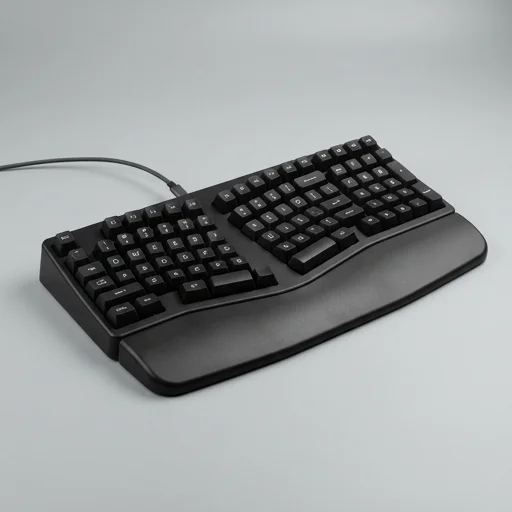
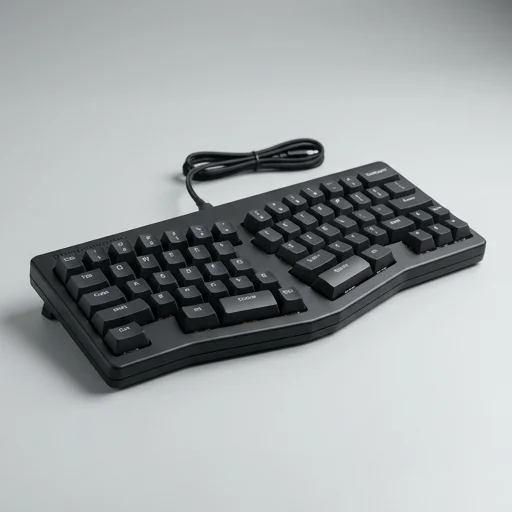
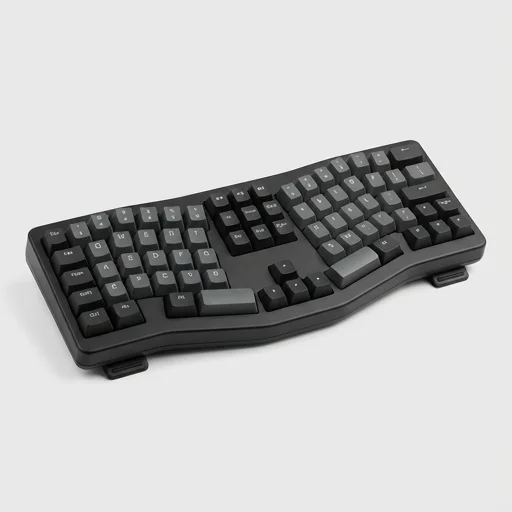
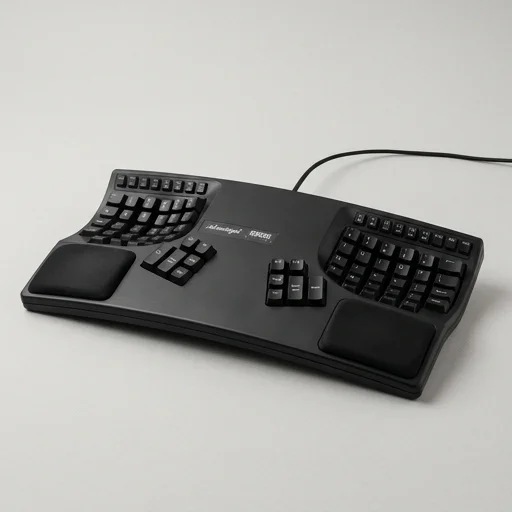
The Truly Ergonomic keyboard is a serious tool for people who type for hours daily and experience wrist or hand discomfort. Its symmetric, column-staggered layout and centered modifier keys demand a real adjustment period, but users who push through report meaningful reductions in strain. It's not a casual purchase—it's an investment in long-term hand health for professionals, programmers, and writers who can commit to relearning their typing habits.
Specifications
Key features
- Symmetric column-staggered key layout for natural finger reach
- Split key well design reduces wrist and hand pronation
- Compact 89-key layout eliminates need for lateral pinky stretches
- Mechanical key switches with tactile feedback
- Centered modifier keys (Enter, Backspace, Shift) reachable by either hand
- Low-profile design minimizes wrist extension
👍 What we liked
- Significantly reduces wrist ulnar deviation compared to standard keyboards
- Sturdy full-metal chassis feels durable and premium
- Column stagger genuinely reduces finger strain over long sessions
- Compact footprint frees up desk space for mouse placement
- Mechanical switches offer satisfying, precise typing feedback
👎 Watch-outs
- Steep learning curve requiring days to weeks of relearning muscle memory
- Premium price point compared to conventional ergonomic keyboards
- No wrist rest included despite ergonomic focus
- Unconventional key placements (like centered Enter) confuse new users initially
- Lacks Bluetooth; wired connection only on most models
Full review
The Truly Ergonomic keyboard was designed from the ground up to break away from the conventional QWERTY slab that has forced hands and wrists into unnatural positions for decades. Instead of the familiar staggered rows, its keys are arranged in a symmetrical, columnar grid so that each finger moves in a straight vertical line rather than stretching diagonally to reach adjacent keys. This layout reduces the lateral finger travel that contributes to repetitive strain, allowing typists to rest their hands in a more neutral posture without the constant micro-adjustments that traditional keyboards demand. The split at the center, combined with the tented key wells, encourages the wrists to stay aligned with the forearms rather than bending outward or inward, which is often the root cause of discomfort during long typing sessions. Beyond the geometry, the placement of function keys, modifiers, and thumb-operated keys like space, backspace, and enter has been reconsidered entirely. Rather than relegating these high-use keys to the pinky fingers, the design shifts many of them toward the stronger, more dexterous thumbs, easing the burden on the weaker digits that are most prone to fatigue and injury. The result is a typing experience where the hands don't have to contort or overreach, and where the most frequently used keys are exactly where the body naturally wants them to be. This thoughtful redistribution of key duties is a core part of what makes the board feel different from the moment a user places their hands on it. Built with a sturdy, low-profile mechanical switch setup, the keyboard also emphasizes tactile precision so that users don't need to press harder than necessary, further reducing strain on tendons and joints during extended use. The compact footprint eliminates the standard number pad, encouraging a more centered seating position in front of the monitor rather than the offset posture many people unconsciously adopt with full-sized boards. For anyone who spends hours at a desk and has felt the toll of wrist pain, shoulder tension, or hand fatigue, this keyboard is built specifically to address those pressure points at the source, treating posture and joint health as the primary design constraint rather than an afterthought bolted onto a traditional layout.
Customer reviews
I switched because of chronic wrist pain from years of coding. The first week was rough, but by week three my typing speed returned and the pain in my wrists had noticeably decreased. Build quality is excellent too.
This keyboard genuinely helps with hand fatigue, but be prepared to type at half speed for a couple weeks. The centered Enter key still trips me up occasionally, but overall I'm glad I made the switch.
It works as advertised for reducing strain, but the price is hard to justify for casual users. If you type 6+ hours a day like I do, it's worth it. Otherwise, maybe look at cheaper split keyboards first.
After developing RSI symptoms from a desk job, my occupational therapist recommended a fully ergonomic keyboard. This one has been transformative. The column stagger and split design really do reduce awkward wrist angles.